



Modding scene hit Early Access on April 14, 2026, and the modding scene wasted no time. It’s scrappy, unofficial, and growing fast. Right now, Nexus Mods and CurseForge are the main hubs, with projects and collections popping up daily. Just keep in mind that nothing is officially sanctioned yet, so your experience is going to depend entirely on which update just dropped and how stable the mod is.
Most mods show up as Unreal Engine .pak files, sometimes bundled with .ucas or .utoc files that have to stay together. The variety is already solid: you’ve got resource multipliers, QoL overhauls, cosmetic swaps, and server frameworks that let admins tweak basically everything. I’ve pulled the essentials into this guide so you don’t have to go digging through Discord threads.
Windrose Mod Landscape

specific categories The community has already settled into a few specific categories. Here’s what you’re looking at:
- Quality of Life: Pause buttons (honestly, why isn’t this vanilla?), UI fixes, fast travel, and better bonfire placement.
- Gameplay Tweaks: Higher level caps, faster ships, resource multipliers, and more building freedom.
- Cosmetics: New hair, black sails, and skin variations.
- Overhauls: Hardcore survival modes that kill fast travel and rework the entire economy.
- Server Frameworks: Admin consoles and Lua scripting support that let you hot-reload settings without killing the server.
The Heavy Hitters: Popular Mods Right Now
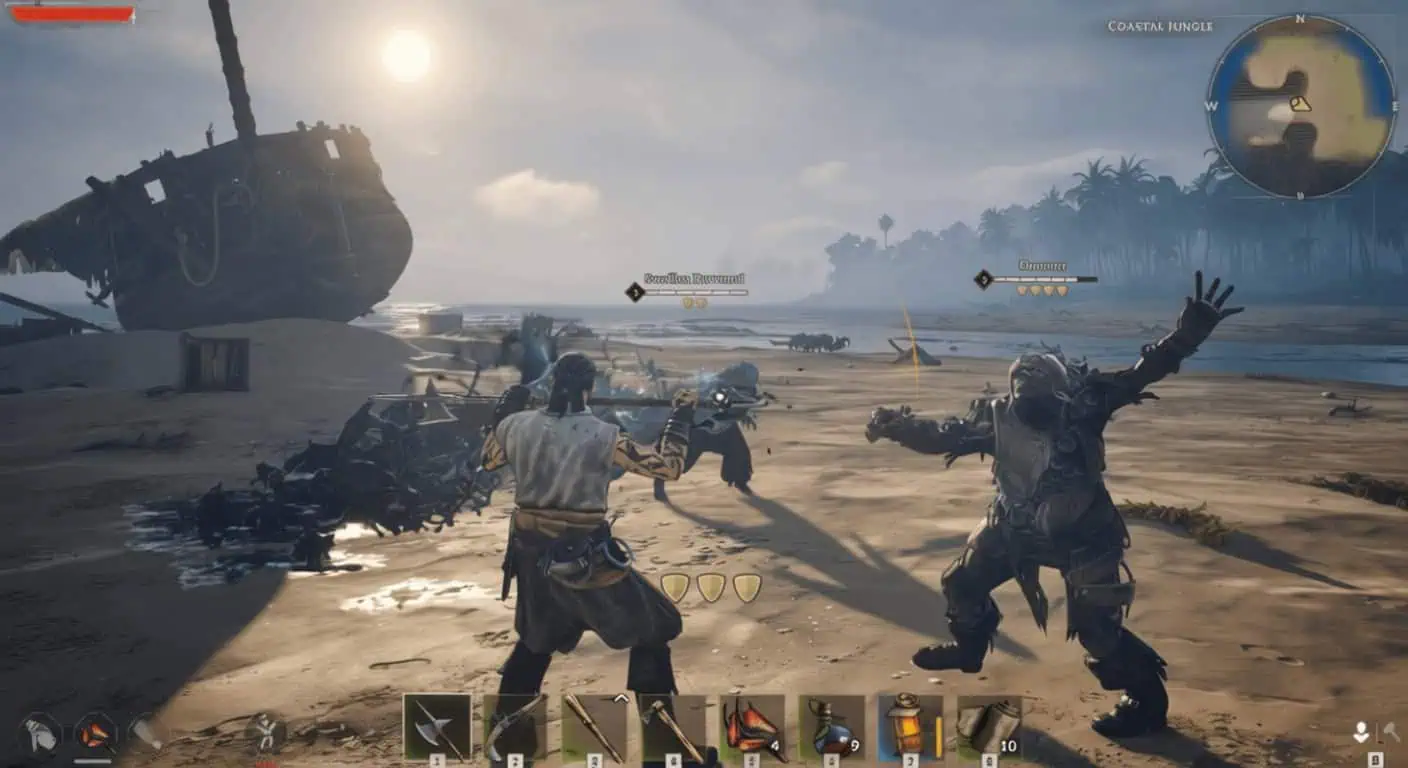
actually downloading Here’s what everyone is actually downloading. These stats are from mid-2026:
| Mod Name | Author | What it does | Category | Downloads |
|---|---|---|---|---|
| Bigger Stacks | Caites | Fixes the tiny vanilla stack limits (up to 999) | Gameplay | 37.3K |
| Bigger Inventory | Caites | Expands slots from 12 to 48 | Gameplay | 31.9K |
| Disable Fog of War | yakuzadeso | Clears the map and minimap | Gameplay | 27.5K |
| More Tree Resources | IceBoxStudio | Huge multiplier for wood gathering | Gameplay | 28.6K |
| More Mineral Resources | IceBoxStudio | More copper, iron, and faster respawns | Gameplay | 25.1K |
| More Enemy Resources | IceBoxStudio | Better loot from mobs; humans drop gunpowder | Gameplay | 18.5K |
| More Animal Resources | IceBoxStudio | Boosted drops from all animals | Gameplay | 17.6K |
| More Levels | Caites | Pushes max level to 25 with faster XP | Gameplay | 16.2K |
| Extended Bonfire Radius | IceBoxStudio | Way more room to build around fires | Gameplay | 16.2K |
| Rare Drops | Sleepyhead08 | Adds a rare loot chance to every mob | Gameplay | 16.1K |
| FasterShips | Kingtology | Speed boosts for all vessels | Gameplay | 2.2K |
| Better Water Building | IceBoxStudio | Removes placement restrictions on water | Gameplay | 2.1K |
| Better Structure Support | IceBoxStudio | Build higher and wider on land | Gameplay | 2.1K |
| Black Sails | Kingtology | Replaces standard sails with black versions | Cosmetics | 1.0K |
| Windtology Traders | Kingtology | Better trader stock (keys, jewels, etc.) | Gameplay | 1.0K |
| True Pirate Experience | Kingtology | No fast travel, harder economy, larger map | Gameplay | 935 |
| Fast Travel Anywhere | yakuzadeso | Teleport directly from the map menu | QoL | 828 |
The Essentials: Bigger Stacks is basically mandatory. Hauling resources with the default limits is a nightmare, and Bigger Inventory makes it actually playable. Disable Fog of War is also huge – navigating blindly gets old fast. If you want a total shift, Windtology – The True Pirate Experience is a massive overhaul. It kills fast travel and rebalances the whole economy. It’s a much slower, more grounded game, but it’s worth it if you’re bored of the vanilla loop.
How to Install Windrose Mods

There are a few ways to do this depending on the mod. Always check the mod page first, but here are the standard paths.
1. Manual .pak Installation (The Standard Way)
Pro tip: Back up your saves and run the game at least once before you start messing with files.
- Grab your mod from Nexus or CurseForge.
- Extract the zip file (WinRAR or 7-Zip works fine).
- Right-click Windrose in Steam → Manage → Browse Local Files.
- Go to:
R5 → Content → Paks. - Important: Create a folder inside Paks called
~mods(you need that tilde symbol). - Drop your
.pak(and any.ucas/.utocfiles) in there.
Full path: ...WindroseR5ContentPaks~mods
2. Dedicated Server Setup
Servers need a little more love. Both you and the server need the same files unless the mod says otherwise.
- Back up the server. Early Access updates love to break things.
- Shut the server down completely.
- Navigate to
R5/Content/Paks/on the server. - Drop the files into the
~modsfolder (create it if it’s not there). - Restart.
Keep a list. Seriously, write down what you installed. When an update hits and the server won’t boot, you’ll need to know which mod is the culprit.
3. CurseForge One-Click
CurseForge is great for simple stuff, but it’s not perfect. It won’t handle UE4SS or engine overrides automatically. Also, if a mod has multiple options (like x5 or x10 resources), CurseForge might install all of them at once. You’ll have to go into the ~mods folder and delete the ones you don’t want so they don’t conflict.
4. UE4SS and Scripting Mods
Advanced mods like Pickaxe Range need UE4SS (the Unreal Scripting System). It’s a bit like SKSE for Skyrim.
- Download the UE4SS zip (stick to the latest release).
- Extract
DWM api.dlland theUE4SSfolder to:R5BinariesWin64. - Open
UE4SS-settings.iniand set the engine override: major = 5, minor = 6. - Install UE4SS mods by dropping their entire folder into
UE4SSmods.
5. AppData Engine Overrides
Some mods (like certain fog removers) require swapping config files.
- Hit
Win + R, type%localappdata%, and hit Enter. - Navigate to:
R5 → Saved → Config → Windows. - Back up your original files before you overwrite anything.
Troubleshooting & Compatibility
Updates will break your mods. It’s just part of the Early Access life.
- Stay Organized: Keep a spreadsheet or a text file of your mods. Read the mod descriptions – authors usually list what other mods will break theirs.
- The “One-by-One” Rule: If the game won’t start, move all your mods out of the folder. Add them back one at a time until it crashes. That’s your broken mod.
- Sync Up: Unless a mod specifically says “client-side only” (like a fog remover), assume everyone on the server needs it installed.
Windrose+ and Server Frameworks

Windrose+ is a different beast. It’s a framework for dedicated servers that adds admin tools and multipliers without necessarily needing .pak files for everything. It gives you a live sea chart, RCON commands, and over 2,400 settings you can tweak – everything from stamina costs to crop growth.
Note on SML: The Simple Mod Loader is great for single-player console commands, but it doesn’t work on dedicated servers. Don’t waste your time trying to get it to run there.
Quick Checklist

- [ ] Back up your saves.
- [ ] Run the game once unmodded.
- [ ]
.pakfiles go inPaks/~mods. - [ ] UE4SS files go in
Binaries/Win64. - [ ] Set engine override to 5.6 for UE4SS.
- [ ] Check for mod updates after every game patch.
Where to get them: Nexus Mods is your best bet for detailed instructions. CurseForge is good for browsing what’s popular. Just remember: read the description. Most of the time, the fix for a crash is buried right there in the author’s notes.
